User Manual - Practitioner Role
Overview
Practitioners have access to client management, appointments, and documentation features. This manual covers all modules available to practitioners.
Table of Contents
Getting Started
Login
- Navigate to the login page
- Enter your email address and password
- Click "Login"
After successful login, you'll be redirected to the Dashboard.
Dashboard
The dashboard provides an overview of your schedule and client information.

Dashboard
Key Features:
- Today's Appointments
- Upcoming Appointments
- Quick access to client information
Client Management
Practitioners can view client information and access client records.
Viewing Clients
Navigate to Clients from the main menu to view all clients.
Client Details
Click on a client to view their details, including:
- Contact information
- Visit history
- Health plans
- Contact notes
Appointments
Viewing Appointments
Navigate to Appointments to view your schedule.
Features:
- View all appointments
- Filter by date
- View appointment details
Visit Notes
Creating SOAP Notes
Document each visit using the SOAP notes format:
- Navigate to an appointment
- Click "View Visit Notes"
- Click "Add Visit Note"
- Fill in:
- Subjective: Client's description
- Objective: Your observations
- Assessment: Your clinical assessment
- Plan: Treatment plan
- Click "Create Visit Note"
Health Plans
Viewing Client Health Plans
- Navigate to a client's details
- Click "View Health Plans"
- View assigned plans and progress
Updating Plan Progress
- Open a health plan
- Update visits completed
- Mark milestones as complete
Policies
Practitioners can review and acknowledge active practice policies.
- Navigate to Policies
- Review each policy and any updates
- Acknowledge required policies
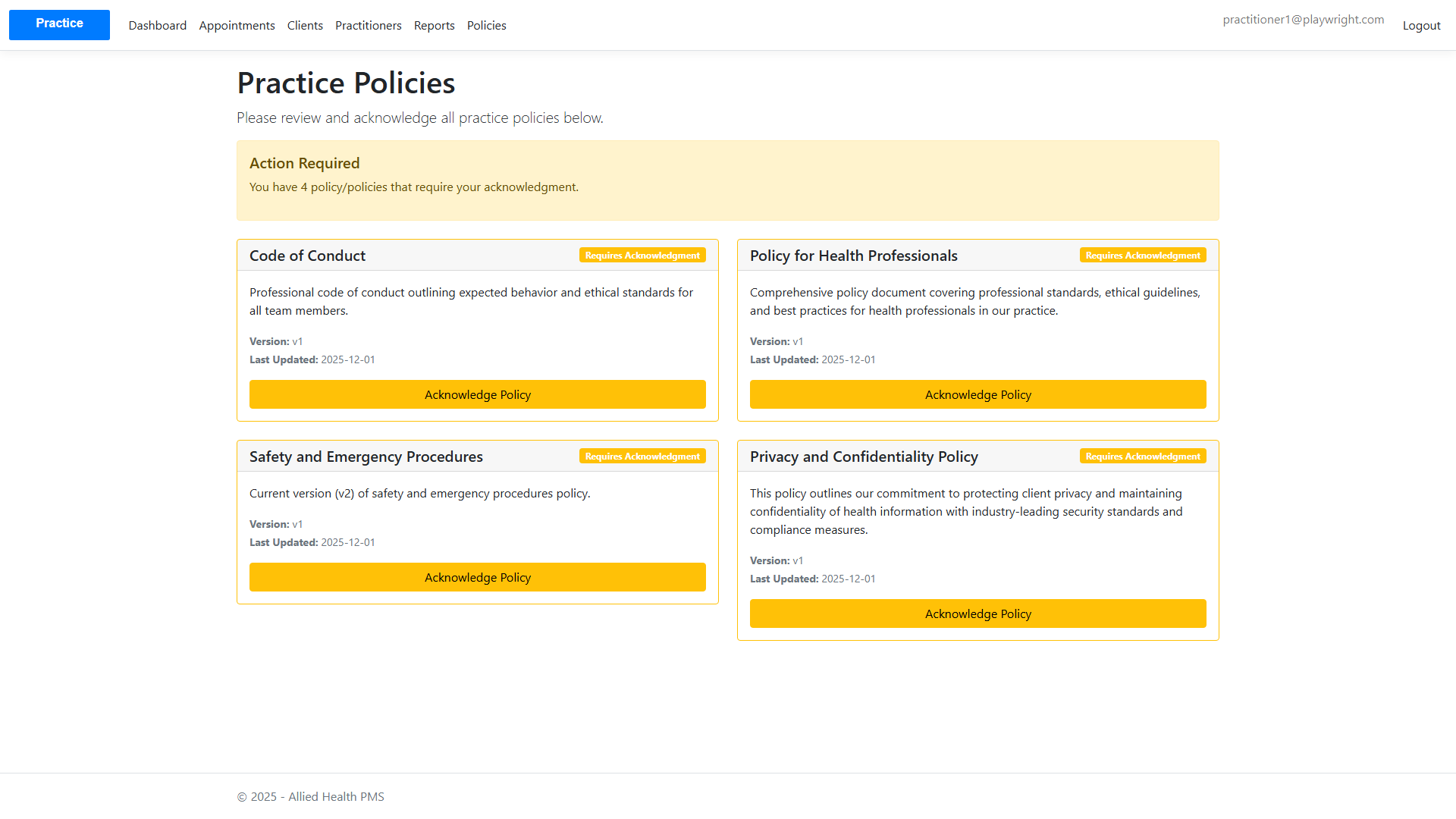
Practitioner Policies
Note: Screenshots for practitioner-specific views will be generated during testing.